One stocktake for multiple NEOGAGE modules
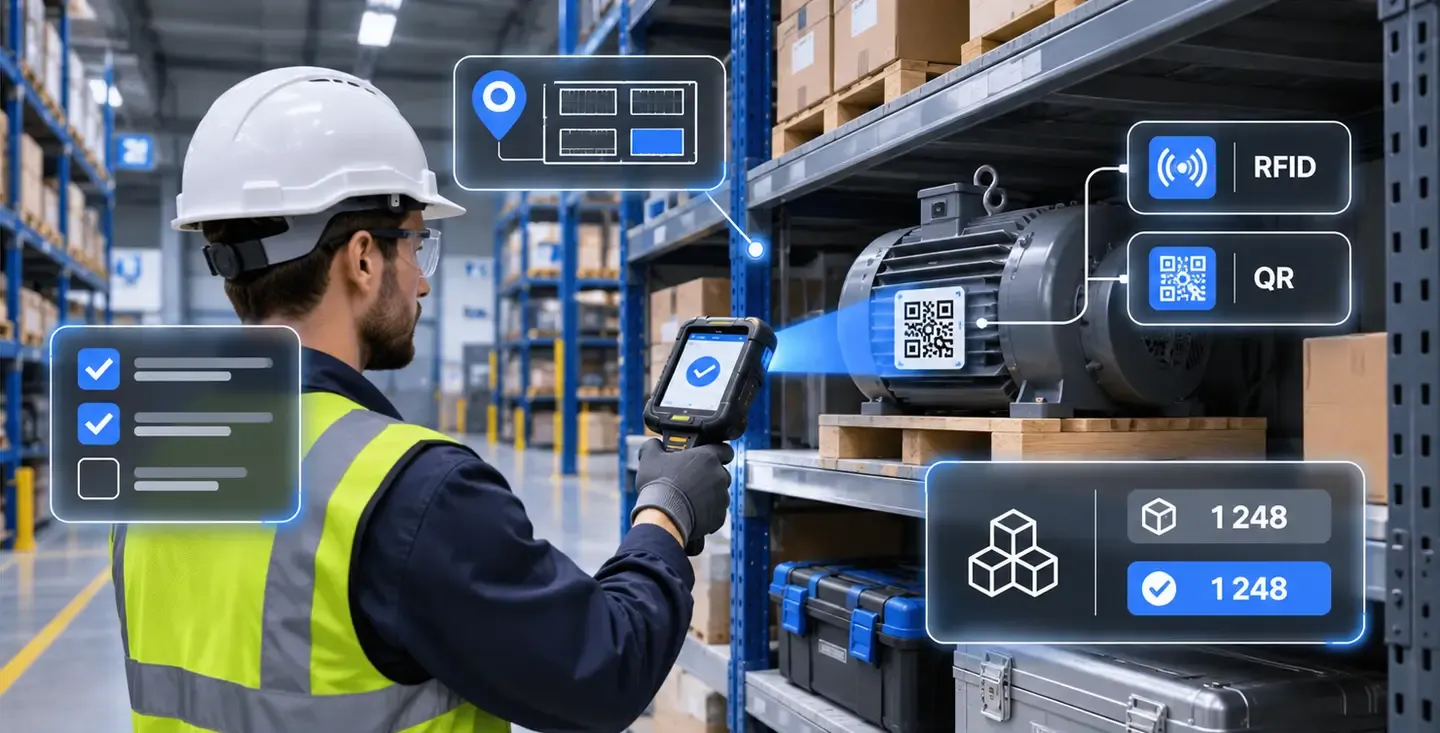
Faster identification with QR codes and RFID
One clear report of shortages, surpluses and discrepancies
Why Inventory?
One stocktake for the entire NEOGAGE ecosystem
Count equipment managed in Metrology, Tool Management, Machine Control and Asset Management using one shared process.
- One way to count different types of assets
- Less manual data entry
- Spot discrepancies sooner
- Stocktake results and history in one place
- MetrologyMeasuring instruments
- Tool ManagementTools
- Machine ControlMachines
- Asset ManagementCustom asset categories
NEOGAGE Inventory
One stocktake process and one discrepancy report
Common problems
Where stocktakes lose time
Separate stocktakes for different types of equipment
Tools, measuring equipment and machines are tracked in different modules. NEOGAGE Inventory lets you count them together.
Manual stocktakes take too long
Copying numbers and comparing spreadsheets slows everything down. Scan asset tags to confirm equipment faster.
Location records are out of date
Equipment moves or changes hands, and the register does not always keep up. A stocktake lets you verify its actual location and who is using it.
Discrepancies surface too late
Shortages and surpluses often become clear only after counting ends. The system compares stocktake results with the register and helps you spot discrepancies.
System capabilities
System features
Plan stocktakes, confirm equipment and compare results with your records in one place.
Stocktake planning
Create stocktakes for selected locations, departments or equipment groups.
Problem: Every department counts equipment differently.
- Hall A
- QA department
- Warehouse
- Metrology
- Asset Management
- Machine Control
QR and RFID scanning
Identify assets by QR code or, with the appropriate setup, RFID, without looking up records by hand.
Problem: Writing down numbers takes too long.
QRRFIDQR-1042 · confirmed
Comparison with the register
See which assets were confirmed and where shortages or surpluses turned up.
Problem: It is hard to compare stocktake results with the register.
| Register | Count | Difference |
|---|---|---|
| 40 | 38 | 3 missing · 1 extra |
Location and user verification
Confirm where equipment is and who it is assigned to during a stocktake.
Problem: The register does not reflect where equipment actually is.
- Warehouse→Hall B
- User A→User B
Stocktake reports and history
Review discrepancies and previous results without creating reports by hand.
Problem: There is no single list of discrepancies after the count.
- Stocktake 112
- Stocktake 28
- Stocktake 35
Our customers' success
"We implemented NEOGAGE Metrology already at the launch stage of our new plant. From the very beginning, it allowed us to build an organized and transparent process for supervising inspection and measuring equipment, as well as fully transition to electronic management of metrological documentation. Thanks to process digitization, we significantly reduced the time spent on administrative tasks, increased control over calibration deadlines and equipment operability, and our team could focus on tasks of greater value to the organization. (...) We can confidently recommend NEOGAGE Metrology as a modern and reliable solution for companies that want to professionally manage metrology and quality documentation."
1 / 3
Frequently asked questions
Contact us
Our experts will answer your questions and help you choose a solution tailored to your company's needs.